How to populate the drop down in aem dynamically
there can be scenerio where you have to populate the dropdown dynamically . if we talk about classic UI static dropdwon implementation is very common we just have to create option node and need to put options text and values in dailog .
but if you want to populate the dropdwon where values must be coming on run time then there can be several scenerio .
1st may be you are having url /api from where you are getting all the data and that data you need to show on your drop down .In this case you will establish connection and then read from connection line by line using inputstreamreader bufferreader and all and finnally you will pass the string .now thisstring you have to format in a particular way so that it can be read by options properties of selection xtype .
I am here giving simple example of doing that so but here I wont create any connection and all to read the data .I will simply take array list just to store some data (this will be same if in real scseniro you have to read from some url).
create a simple component dropdowncompo with a dialog like below .

- xtype: selection
- type: select
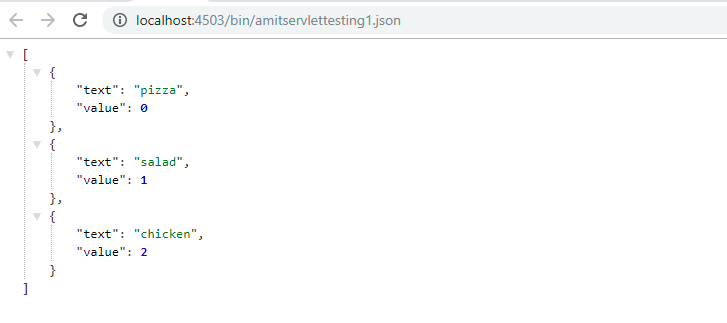
- options: /bin/amitservlettesting1 .json ………we have to call a servlet which must be returning the json array . which must be having the following pattern
[
{
“value”: 10,
“text”: “A”
}, {
“value”: 20,
“text”: “B”
}
]
here I am registering the servlet by path method that is why I directly call the servlet path in options
servlet code
package amitsample.core.servlets;

/* @SlingServlet(resourceTypes="/apps/amitsample/components/structure/pagelevel",selectors = "categorylist",extensions = "json")*/

@SlingServlet(paths = "/bin/amitservlettesting1")
public class SimpleServlet extends SlingSafeMethodsServlet {

    @Override
 protected void doGet(final SlingHttpServletRequest req,
            final SlingHttpServletResponse resp) throws ServletException, IOException {
        final Resource resource = req.getResource();
        JSONArray categoryArray = new JSONArray();
        List <String>categorylist = new ArrayList<String>();
        categorylist.add("pizza");
        categorylist.add("salad");
        categorylist.add("chicken");
        for (int counter = 0; counter < categorylist.size(); counter++) {
                     try {
                          JSONObject categoryObject = new JSONObject();
                          categoryObject.put("text",categorylist.get(counter));
                          categoryObject.put("value",counter);
                          categoryArray.put(categoryObject);

                               } catch (JSONException e) {
                                      e.printStackTrace();
                                         }
                     }

        resp.getWriter().print(categoryArray);
    }
}
Servlet response format
How it will look on page
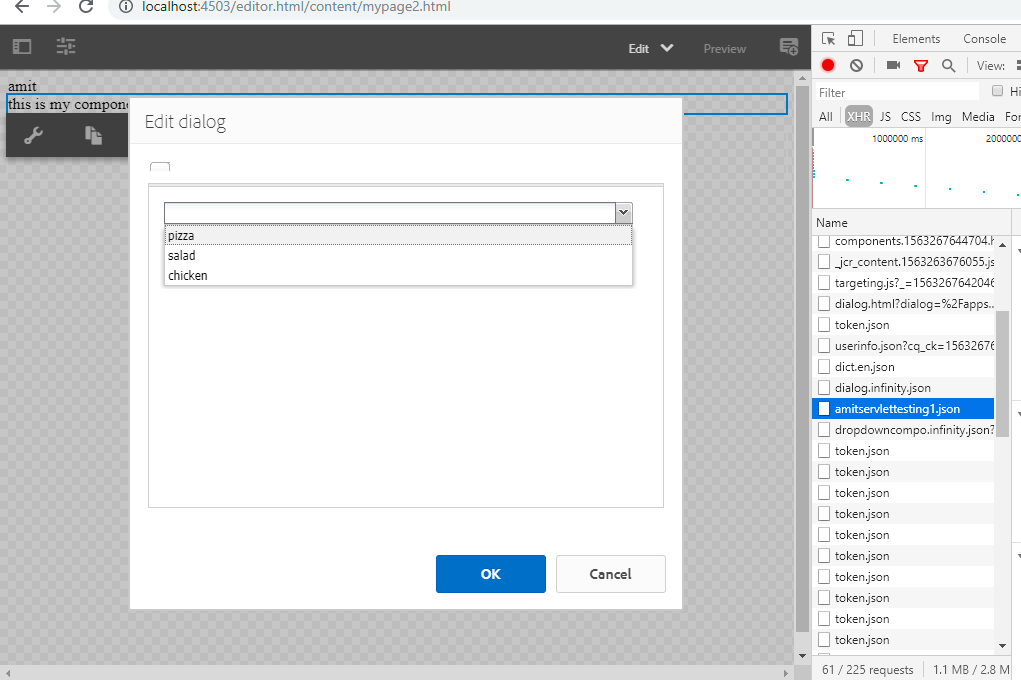
we can inspect and observe our servlet is being called in network
 AmitPandeyblog